DMX512 in one minute
DMX512 is the standard protocol lighting desks have used for decades to control stage lighting: spots, moving heads, LED walls. It is an open standard, so every lighting desk speaks it and no single supplier holds a monopoly on it. One DMX universe has 512 channels, and each channel carries a value from 0 to 255. A wristband that runs on DMX listens to the same kind of commands as the rest of the lighting plan.
That is exactly why we built our wristbands on DMX512. To a lighting engineer the wristbands are simply extra channels in the existing show file. There is no separate software to learn, no closed system running alongside the desk. Read more about that choice on our technology page.
From desk to wrist: the signal chain
The chain is short. The lighting desk sends DMX values to our controller. The controller translates those values into a wireless signal and broadcasts it across the venue. Every wristband receives that signal and turns it into colour, brightness and effect. Because all wristbands receive the same signal at the same moment, they move in sync: one command, one crowd.
With a rental the controller is included as standard. The lighting desk comes from the venue or from your own lighting engineer; if you do not have one, our operator runs the show.
Zones and groups: dividing the audience
Control gets really interesting once you divide the audience into zones. A zone is a group of wristbands listening to its own set of channels. That lets you drive a stand separately, give every team at a company party its own colour or distinguish ticket tiers. The number of zones and their layout are configurable and are fixed in advance, usually based on your floor plan and the way you hand out the wristbands.
How zones appear on the lighting desk
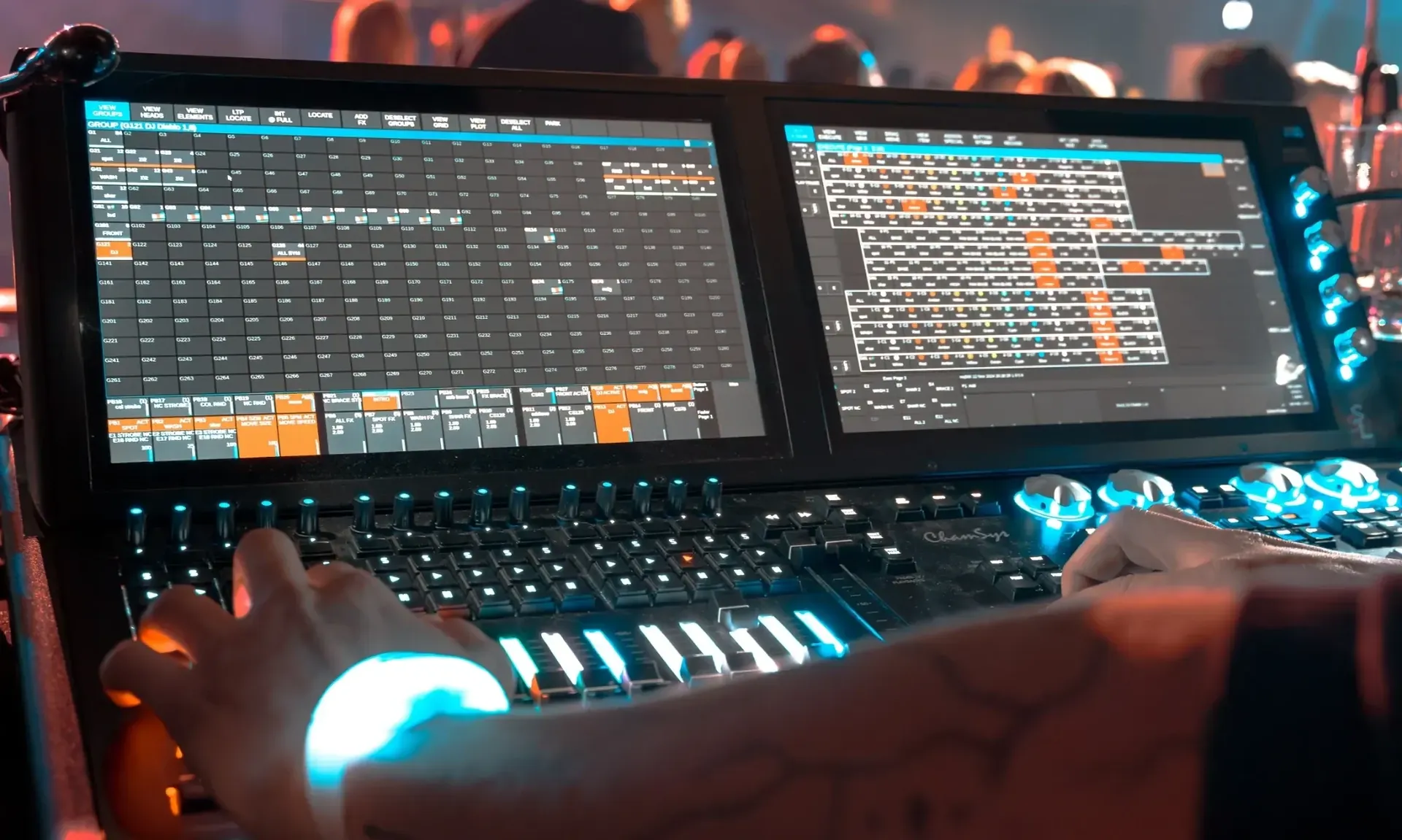
Each zone gets its own address range within the universe. On the desk you patch a fixture per zone (or one fixture with several cells) and you programme cues the way you would for any other luminaire: colour, intensity, fade times. A wave through the venue is then nothing more than a chase across the zones with a small delay per step.
At a light festival with 51,000 visitors every zone received its own colour, so the site itself became part of the light show. At a product launch or a networking event you use the same principle to make groups visible.
Timecode and synchronisation with video and music
If you want the wristbands to react exactly on the beat or on a video frame, you work with timecode. The lighting desk follows a timecode (for instance SMPTE or MIDI timecode) sent out by the audio or video control room, and the cues for the wristbands hang on that timeline. The result is a show that runs identically every time, whoever is behind the desk.
For Naos International a single time-coded show ran in 40 countries this way. Because the control works on an open standard and the show is tied to a timeline, the same show could be played back again and again with the same precision.
Pre-visualisation: seeing the show before it exists
You do not want to see a light show with thousands of wristbands for the first time during the event. That is why we simulate the show beforehand in a pre-visualiser: every zone, every colour and every transition is run through on screen. You and your lighting engineer know exactly what the audience will see, and adjustments happen before the first wristband lights up, not after.
Integration with the venue's own desk
Because everything runs on DMX512, the control works with the lighting desk that is already there. In practice it goes like this: the venue technician reserves a universe (or part of one) for the wristbands, our controller is connected to that line, and the fixtures for the zones are added to the show file. Then the lighting engineer programmes the cues, or our operator takes that over. No vendor lock-in: you are not tied to a specific brand of desk or software.
Checklist for your tech rider
These are the points we like to know in advance, or add together with you to the event's technical rider:
- Make and model of the lighting desk, and whether a universe (or part of one) is available for the wristbands.
- Available DMX connection at the control position: 5-pin or 3-pin XLR, or network such as Art-Net or sACN.
- Floor plan with the desired zone layout and the way the wristbands will be handed out.
- Timecode source if the show is synchronised with video or music, and who sends it.
- Overview of other wireless systems in the venue (Wi-Fi, in-ears, intercom).
- Who programmes and runs the show: your own lighting engineer or our operator.
- Position and power supply for the controller, with line of sight to the audience.
- Moments in the programme where the wristbands play a role, for the run sheet.